PrintHaus: 3D-printable buildings you can play inside
Configure and 3D-print buildings for your tabletop, with removable roofs and floors, adjustable room layouts and no CAD skills required.

Hello fellow roleplayers and tabletop gamers,
PrintHaus is a browser app that lets you configure buildings for your game world and download the files for 3D printing. You choose the floor plan, storeys, roof, windows and doors, without having to draw the house yourself in CAD.
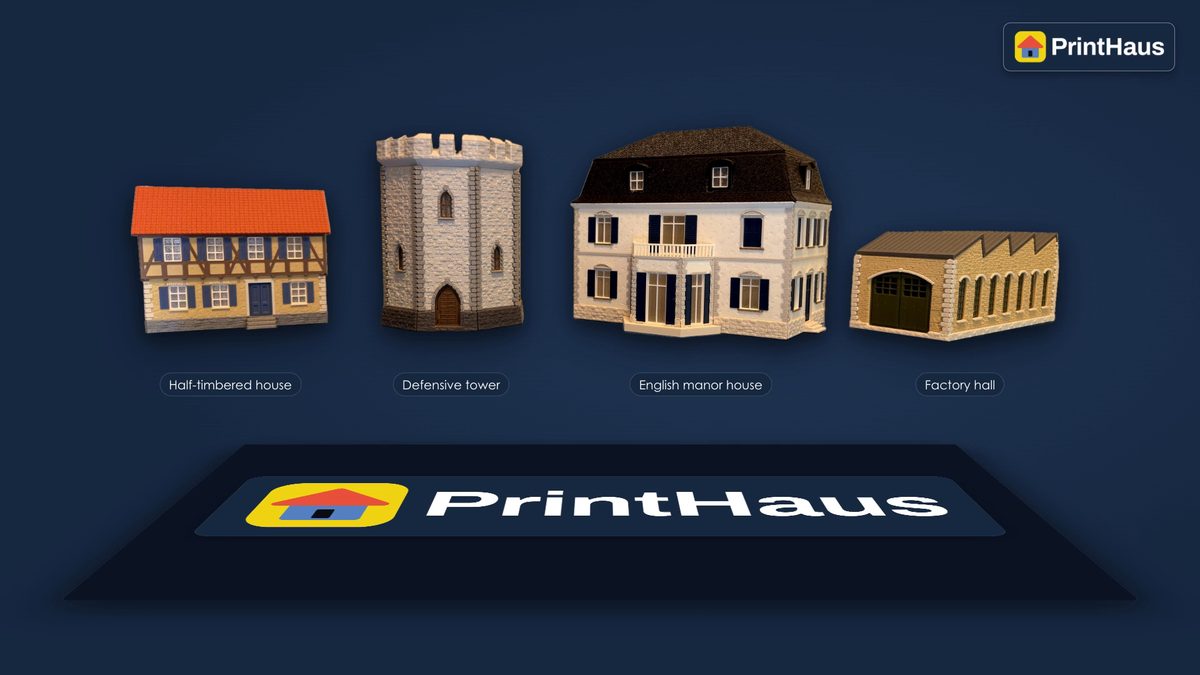
The video shows the assembly of four real printed buildings: a half-timbered house, a defensive tower, a manor house and a factory hall.
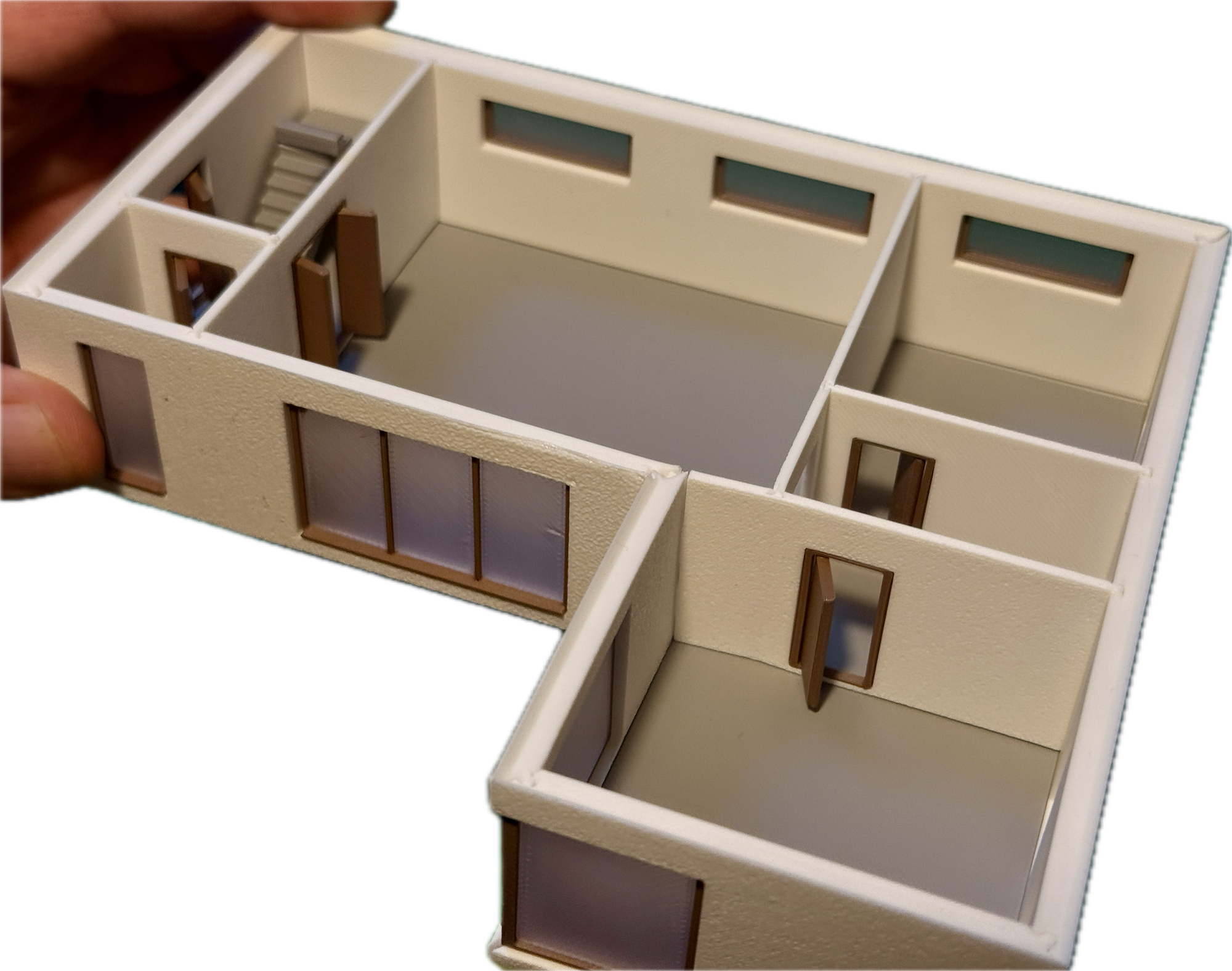
The tabletop buildings have removable roofs and individual floors. You can move miniatures inside and play on multiple levels. An inn can be more than scenery outside the door: its upstairs rooms can become part of your adventure too.
Buildings to fit your game
Interior walls and stairs let you adjust the room layout, and you can set the scale to suit your miniatures. If a building needs a smaller footprint, another storey or different windows, you change the corresponding settings. To give each building its own character, the editors include:
- Window editor: adjustable glazing bars, decorative window surrounds, ornamental lintels, keystones, stone windowsills, spandrel panels, open or closed shutters, roller shutters, and straight, triangular or curved window pediments.
- Door editor: single- and double-leaf doors, round and pointed arches, decorative stone surrounds, contour-following lintels for segmental arches, keystones, and straight, triangular or curved overdoor pediments.
- Facade editor: half-timbering, corner pilasters, corner quoins, horizontal storey bands, projecting or recessed plinths, and textured plinth surfaces.
For damaged locations, Bomb Blast lets you position and orient impacts on a building to make damaged houses and ruins.
Configure buildings through an AI chatbot
PrintHaus connects to compatible AI chatbots via MCP (Model Context Protocol). Once AI-interface access is enabled for your PrintHaus account, download and install the PrintHaus plugin and connect it to your account using browser sign-in. You can then describe a building or request changes in chat. The chatbot sets the building parameters in PrintHaus, and you can still edit those settings yourself. PrintHaus calculates the building geometry deterministically from these settings.
From browser to tabletop
You can download the printable parts as STL or 3MF files.
If you would like to try printing a ready-made building first, you can find models I have already published, free to download and print, on my model profiles:
MakerWorld · Printables · Cults3D
Try it and get two extra free exports
After free registration and email confirmation, a new account includes one free private-use export of a building you have configured yourself.
Rascal readers can use the code PH-RASCAL-5QJA for two additional free building exports. Sign in and enter it under Settings → Redeem code. Redeem the code by 17 November 2026, inclusive (Europe/Berlin). The credited exports do not expire.
The Kickstarter campaign is planned for the second half of November. You can sign up for a launch notification on the prelaunch page:
Follow the Kickstarter prelaunch page
I am Sebastian, the solo developer behind PrintHaus. I would love to hear feedback from your gaming groups. What buildings, room layouts or details would you like to see added? Feel free to write to me at sebastian@printhaus.app.
Detailed app description as an English PDF
Kind regards,
Sebastian